

Where is my serial number
Your AirTouch 5 serial number (Console ID) confirms your system is compatible with AirTouch Secure. You only need to enter it once to unlock purchasing across the Secure range.
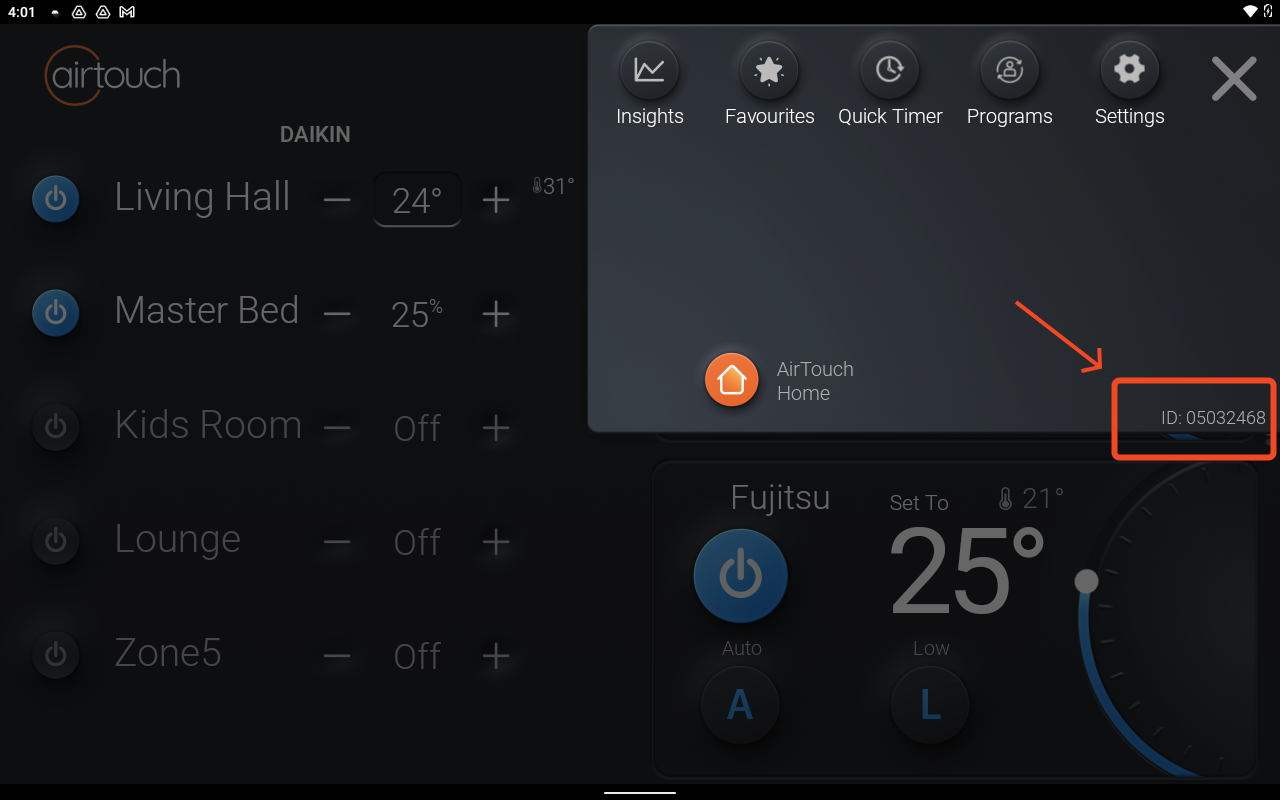
When the console is powered on
- Open the AirTouch 5 console.
- Tap Settings.
- A pop-up window displays an ID for support requests — this is your Console ID / serial number.
When the console is off or won’t turn on
Applicable to AirTouch 5 and AirTouch 2+ only.
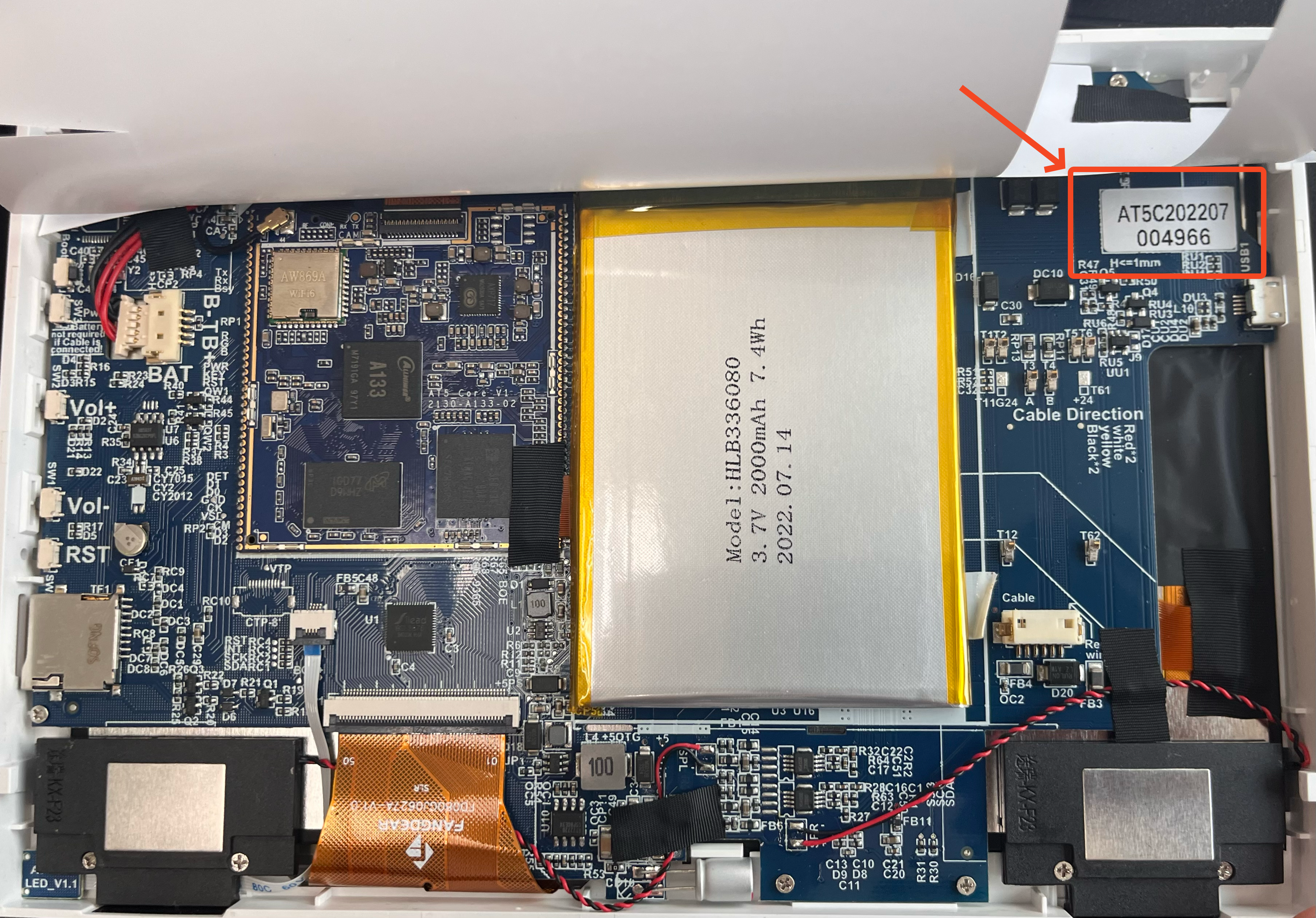
- Unplug the console from the wall by pushing the bottom section — this lifts the console from the wall mount.
- Turn the console around to view the back.
- Flip open the white plastic cover that protects the internal components.
- The Serial Number / Console ID is located at the top-right corner of the label.
Enter the serial exactly as shown when prompted on an AirTouch Secure product page.
Don’t have an AirTouch 5? Request a quote from an installer.